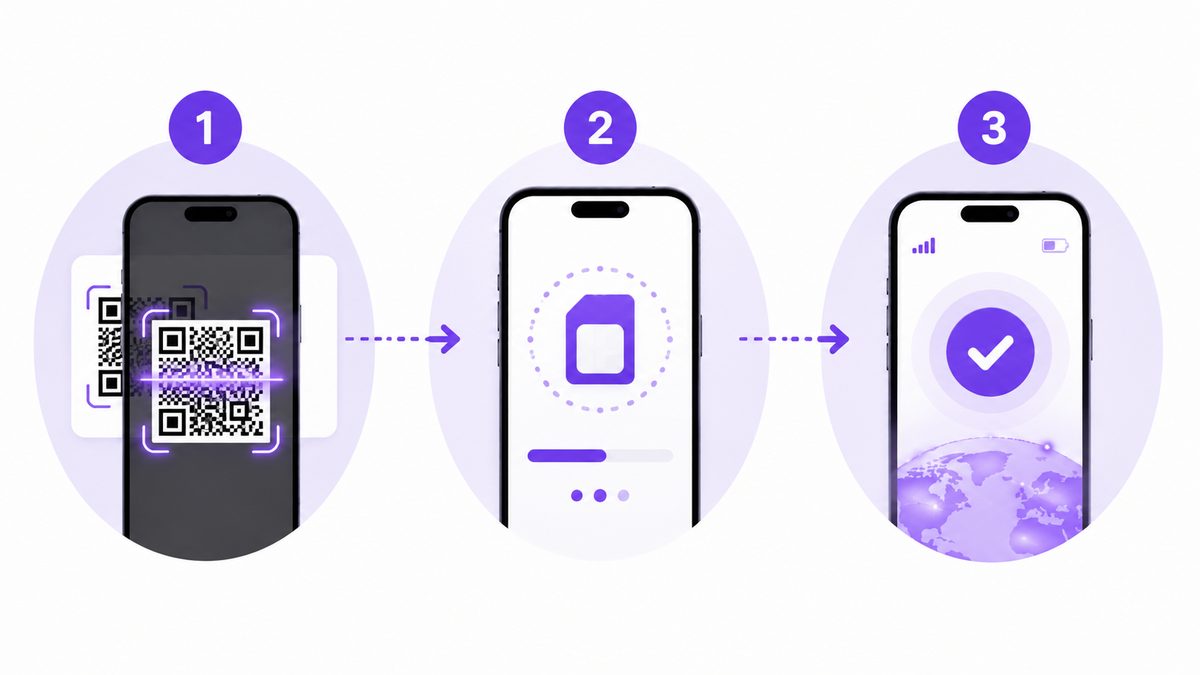
Activating an eSIM for China is easier than you think. This guide walks you through it step by step, for both iPhone and Android, so you have internet working the moment you land.
Before you start: what you need
- A phone that supports eSIM (iPhone XS+, Samsung S20+, Google Pixel 3+)
- The QR code for your eSIM (received by email or WhatsApp)
- Internet connection (airport or hotel WiFi) to download the profile
- An unlocked phone from your current carrier
Step 1: Buy your eSIM before traveling
Buy your eSIM in advance from your country. You will receive a QR code by email or WhatsApp. Do not wait until you arrive in China: without internet, you cannot receive the QR.
Contact us on WhatsApp to buy your eSIM.
Step 2: Activate the eSIM (iPhone)
- Open Settings on your iPhone
- Go to Cellular or Mobile Data
- Tap Add eSIM Plan or Add Mobile Plan
- Scan the QR code you received
- Confirm the plan name (e.g., "China eSIM")
- Select Use this line for data
- Wait 1-2 minutes for activation
Recommended iPhone settings
- Primary line: your regular SIM (for calls)
- Mobile data: your China eSIM
- Dual SIM: enable both lines simultaneously
Step 3: Activate the eSIM (Android)
- Open Settings
- Go to Connections > SIM card manager
- Tap Add eSIM Plan or Download eSIM
- Scan the QR code
- Select Mobile data for this eSIM
- Wait for activation (1-2 minutes)
Recommended Android settings
- Mobile data: your China eSIM
- Calls: your regular SIM
- Data roaming: enabled for this eSIM
Step 4: Enable data roaming
This step is crucial. Your eSIM works with international roaming, so you must enable data roaming for that line:
- iPhone: Settings > Cellular > Mobile Data Options > Data Roaming = ON
- Android: Settings > Connections > Mobile Networks > Data Roaming = ON
Do not worry about extra charges: roaming is already included in your eSIM plan.
Step 5: Verify everything works
After activation, test the following:
- Open WhatsApp and send a message. If it works, your eSIM is active.
- Open Google Maps and search for an address.
- Open Instagram or any social media blocked in China.
If something does not work, contact us on WhatsApp immediately: +86 17611246758.
Physical SIM activation (alternative)
If you bought a physical SIM instead of eSIM:
- Pick up the SIM at your hotel reception (we deliver there)
- Turn off your phone
- Insert the SIM into the tray
- Turn on your phone
- Enable data roaming in settings
- Verify WhatsApp and Google Maps work
For more details, read our China SIM card guide.
Common problems and solutions
The eSIM will not activate
- Verify you scanned the correct QR code
- Make sure you have WiFi to download the profile
- Restart your phone after scanning the QR
No internet after activation
- Check that data roaming is enabled
- Verify you selected the eSIM for mobile data
- Wait 5 minutes: the network sometimes takes time to register
WhatsApp does not work but I have internet
- Your eSIM may not have roaming. Only roaming eSIMs unblock WhatsApp.
- Contact us to verify your plan.
How long does activation take
| Step | Time |
|---|---|
| Scan QR | 30 seconds |
| Download profile | 1-2 minutes |
| Network registration | 1-5 minutes |
| Total | 5-10 minutes |
FAQ
Can I activate the eSIM before arriving in China?
Yes, you can install the profile beforehand. The eSIM connects automatically when you arrive in China.
Do I need WiFi to activate?
Yes, you need internet (airport WiFi) to download the eSIM profile the first time.
Can I use my regular SIM and the eSIM at the same time?
Yes, most modern phones support Dual SIM. Use your SIM for calls and the eSIM for data.
Conclusion
Activating a China eSIM takes 5-10 minutes. The key steps: buy before traveling, scan the QR, enable data roaming, and verify WhatsApp works.
Contact us on WhatsApp to buy your eSIM.